
Google Scholar Google Scholar is a convenient tool for searching for scientific articles, books, dissertations, and other academic materials. The platform also allows you to create a personal researcher profile where you can track citations, add publications, and showcase your achievements. In this article, we'll cover in detail how to create a profile. Google Scholar.
What will you need?
Before you begin registration, please prepare:
📌 Google-аккаунт. Если у вас его еще нет, сначала зарегистрируйтесь в Google.
📌 Информацию о ваших публикациях. Это могут быть статьи, тезисы, книги или другие материалы.
📌 Фотографию для профиля. Выберите профессиональное изображение.
Step 1: Log in to Google Scholar
🔹 Перейдите по ссылке: https://scholar.google.com/.
🔹 Нажмите «Войти» в правом верхнем углу страницы.
🔹 Войдите в свой Google-аккаунт. Если у вас его нет, нажмите «Создать аккаунт» и заполните форму регистрации.
Step 2: Create your profile
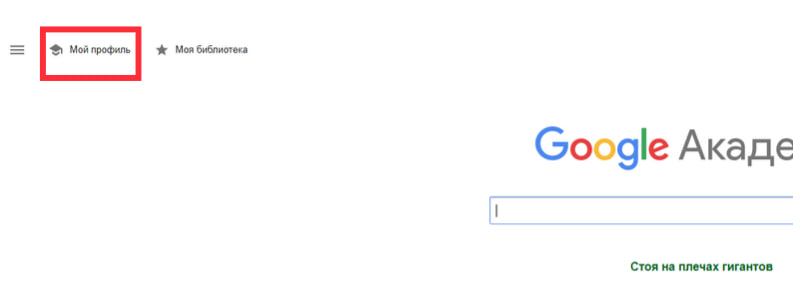
🔹 После входа нажмите на «Мой профиль» (My Profile).
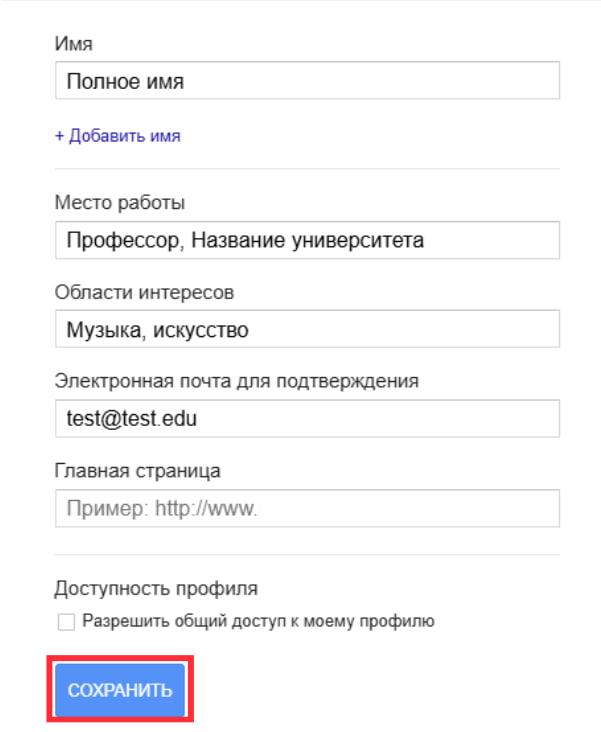
🔹 Откроется форма для заполнения информации:
- Your first and last name. Please enter the full name you use in your scientific publications.
- Your organization. For example, the university or research institute where you work or study.
- Email: It is recommended to use your organization's official email address (e.g., @university.edu).
- Research Interests. Enter keywords that describe your research topics (e.g., "bioengineering," "sustainable development").
- Website link. If you have a personal page or a page on your organization's website, please add it.
- Click Next.
Step 3: Add publications
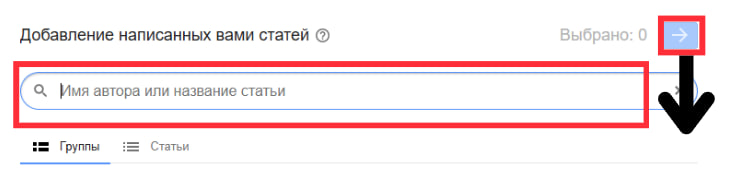
Google Scholar will automatically suggest a list of publications associated with your name.
- Please review the proposed list.
- Select your publications and click Add.
- If some articles are not in the list:
- Click "Add manually".
- Fill out the form:
- Title of the publication.
- Authors.
- Journal or place of publication.
- Year.
- DOI or link (optional).
💡 Advice: If you have a lot of publications that are not detected automatically, add them gradually to avoid errors.
Step 4: Set up automatic profile updates and make it public
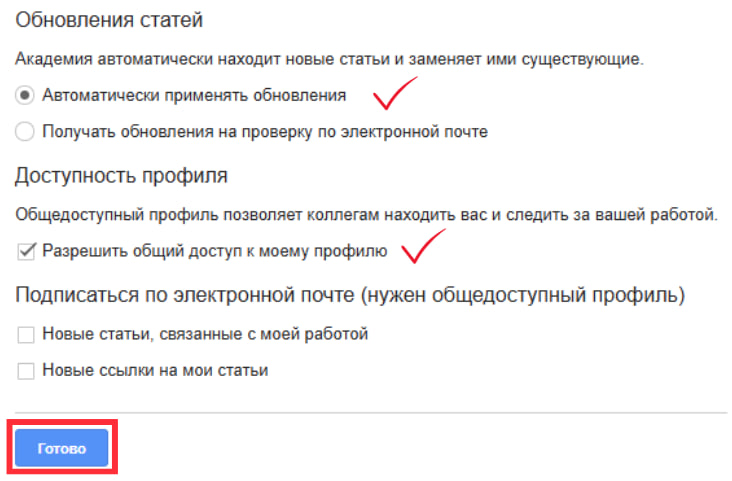
🔹 Google Scholar может автоматически добавлять новые публикации в ваш профиль.
- Enable this feature if you want your profile to always be up to date.
- You can also choose manual mode, where you need to approve each new publication yourself.
🔹 Чтобы другие могли находить ваш профиль:
- Open profile settings.
- Enable the "Make my profile public" option.
💡 Advice: After publishing your profile, check how it looks to other users.
Step 5: Add a profile photo
- Click on the profile icon and upload a photo.
- Use a high-quality professional photo with a neutral background.


Benefits of registering with Google Scholar
✅ Track citations of your work.
✅ Easy access to your publications.
✅ Opportunity to demonstrate your achievements to other researchers.
✅ Automatic notifications about new citations or works related to your interests.